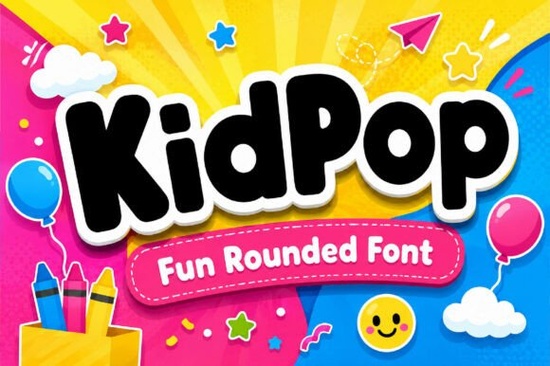
Finding the right typography for children's products can be tricky. You want something fun and bouncy, but it still needs to be easy to read. The Kidpop Font solves this by offering thick, rounded letterforms that look like they belong in a cartoon. It is a display typeface designed specifically to bring a cheerful, youthful energy to your creative projects without sacrificing legibility.
What makes a good bubble font for kids' projects?
When designing for a younger audience, thick strokes and soft curves are your best friends. Sharp edges and thin lines can feel too serious or harsh. This specific typeface uses full-bodied, plump characters that naturally draw the eye. The rounded edges make the text feel approachable and friendly, which is exactly what you need for toy packaging or classroom materials.
If you are working on a project that needs a slightly different vibe but still wants to keep things lighthearted, you might also look at other cheerful display options to see what fits your specific layout. However, for pure, bouncy cartoon energy, this bubble style really stands out.
Where should you use this type of playful typography?
Because of its bold and voluminous shape, this typeface works best for short phrases, headlines, and prominent branding. It is not meant for long paragraphs of body text. Small business owners creating custom packaging for handmade toys or children's bath products will find that this typography instantly communicates the target age group. Here are a few practical ways crafters and print-on-demand sellers are using it:
- Children's apparel: Printing fun slogans on toddler t-shirts and hoodies.
- Sticker making: Creating thick, die-cut stickers for planners and water bottles.
- Book covers: Designing eye-catching titles for self-published kids' books.
- Party supplies: Making custom banners, cupcake toppers, and birthday invitations.
For crafters who love a more layered, three-dimensional look, pairing this with a bold stacked alternative can give your merchandise a highly professional, retail-ready finish.
How do you pair a chunky display typeface with other fonts?
Since the main typeface is so loud and expressive, your secondary fonts should be quiet and simple. A clean, geometric sans-serif or a highly legible monoline script works beautifully to balance the visual weight. When choosing colors, high-contrast palettes like bright yellow on navy blue or pastel pink on mint green work exceptionally well with these voluminous shapes.
If your design needs a slightly more nostalgic or retro feel, you could mix it with a retro-inspired typeface for the subheadings. On the other hand, if you want to keep the whole design feeling like a playful storybook, a whimsical storybook style might be the perfect secondary choice for your body text. Always remember to give your main headline plenty of breathing room.
Is it easy to cut and weed for vinyl crafts?
For Cricut and Silhouette users, weeding is a major concern. Fortunately, the thick strokes and lack of tiny, intricate serifs make this typeface very forgiving. The letters hold together well when cut from adhesive vinyl or heat transfer vinyl. If your design software requires it, make sure to weld overlapping letters before cutting to ensure a seamless finish.
If you ever need a slightly more handwritten, informal look for your vinyl decals, checking out a casual handwritten display style can give you a nice variety in your craft inventory. But for bold, solid shapes that weed in seconds, this bubble design is incredibly reliable.
Quick checklist for your next design project
- Check your contrast: Pair the thick bubble letters with a solid, bright background color to make them pop.
- Limit your word count: Keep your main headline to three or four words so the text doesn't overwhelm the layout.
- Test your cut settings: If using heat transfer vinyl, do a small test cut to ensure the thick strokes weed cleanly without tearing.
- Mind the kerning: Bubble letters often need a little extra space between them. Adjust your tracking slightly if the letters feel too squished.
Take some time to sketch out your layout before jumping into your design software. Getting the spacing right from the start will save you a lot of tweaking later on!
Get Started Awesome Everybody Font: Creative Uses & Free Downloads
 Preppy Font: Style Tips for Creative Designs
 Free & Downloadable Have a Nice Day Honey Font
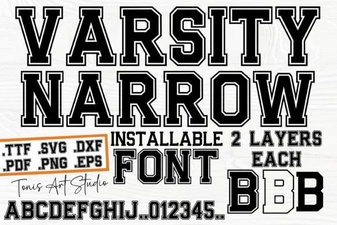 Creative Projects with Varsity Narrow Font
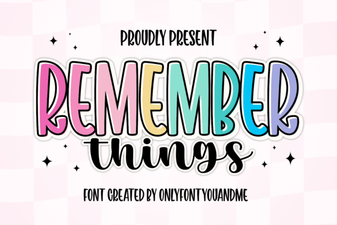 Harness the Remember Things Font for Better Design
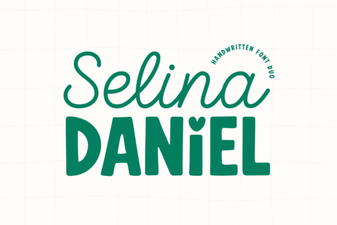 Selina Daniel Duo Font for Creative Projects