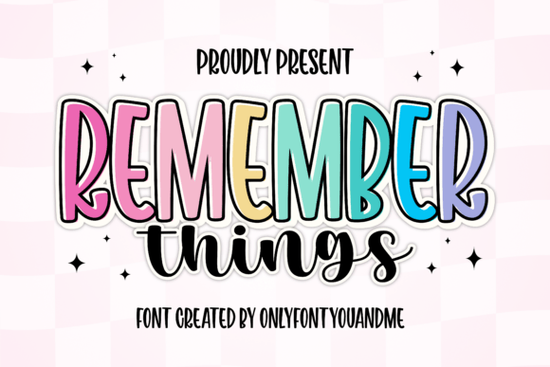
Finding the right typeface for a playful yet professional project can be tricky. You often have to choose between something bold and eye-catching or something soft and personal. The Remember Things Font solves this by offering both styles in one package. This cheerful duo pairs a tall, bold display typeface with a casual handwritten script, giving crafters and small business owners a versatile toolkit for their next design.
What makes this font duo stand out for crafters?
When you download this package, you actually get two distinct typefaces that are designed to work perfectly together. The primary style is a tall, bold display lettering with smooth curves and playful proportions. It includes a built-in outline layer, which creates a fun, sticker-like effect without requiring you to manually add strokes in your design software.
The secondary style is a handwritten script with a casual, brush-like flow. This adds a warm and friendly touch to your layouts. When designing greeting cards or party invites, pairing this script with a bright and happy display typeface can add extra warmth, but using the included duo keeps your workflow simple and your design cohesive.
How can small businesses use the sticker-style outline?
The outline layer on the bold display style is incredibly useful for print-on-demand sellers and boutique owners. Because the outline is already drawn, you can easily change the fill color and the stroke color independently. This is perfect for creating eye-catching product labels, coffee cup sleeves, and tote bag graphics.
While a classic collegiate typeface works well for sports apparel, the sticker-like outline in this duo is ideal for modern boutique branding. It gives your merchandise a polished, retail-ready look straight out of the box, saving you hours of manual vector editing.
Which projects work best with the handwritten script?
The brush script included in this bundle is highly legible, which is not always the case with handwritten styles. It works beautifully for secondary text, such as subheadings, quotes, or signature lines on certificates and wedding stationery. It offers a stark contrast to highly ornate choices, like an antique Victorian typeface, keeping your modern designs clean and easy to read.
Crafters using cutting machines will appreciate the smooth connections in the script. It cuts cleanly on vinyl for decals and iron-on transfers, making it a reliable choice for custom t-shirts and wooden signs.
Is it easy to install and use in design software?
Yes, the files come in standard OTF and TTF formats, which install seamlessly on both Windows and Mac computers. Once installed, the duo is fully accessible in popular design programs like Adobe Illustrator, Photoshop, and Canva. For crafters, it works perfectly with Cricut Design Space and Silhouette Studio.
If you are working on a quirky children's book or educational materials, you could mix this script with an informal and fun display typeface to keep the text engaging for young readers. However, for most commercial projects, sticking to the provided duo ensures your typography remains consistent.
How do you pair these styles without cluttering your layout?
The key to using a font duo effectively is establishing a clear visual hierarchy. Use the tall, bold display style for your main headline or the primary focal point of your design. Then, use the brush script for smaller, supporting text like a tagline, date, or short greeting.
For projects that need a slightly more rustic feel, you might consider swapping the bold display for a hand-drawn rustic typeface, but keeping both styles from this duo together usually guarantees a balanced, professional look. For more inspiration on using the Remember Things style in your layouts, exploring professional design galleries is always helpful.
Quick Checklist for Your Next Design
- Check your contrast: Ensure the fill and outline colors of the display style stand out clearly against your background.
- Mind the hierarchy: Keep the bold display text larger and use the script strictly for smaller accents.
- Test your cuts: If using a vinyl cutter, do a small test cut with the script to ensure the brush strokes are weeding cleanly.
- Explore ligatures: Turn on standard ligatures in your design software to see if the script offers any special character connections.
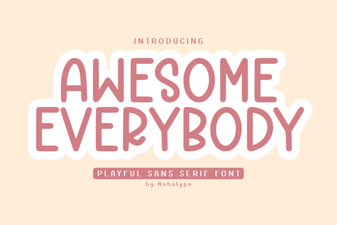 Awesome Everybody Font: Creative Uses & Free Downloads
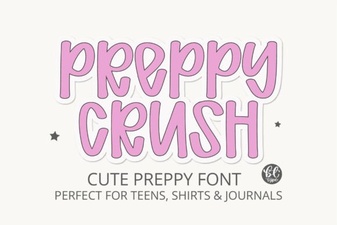 Preppy Font: Style Tips for Creative Designs
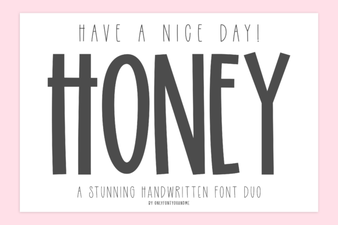 Free & Downloadable Have a Nice Day Honey Font
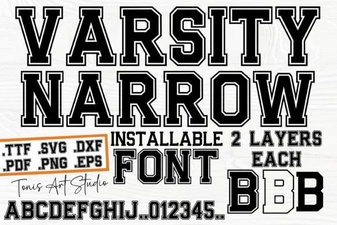 Creative Projects with Varsity Narrow Font
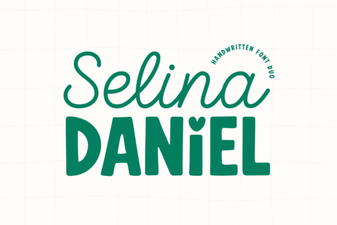 Selina Daniel Duo Font for Creative Projects
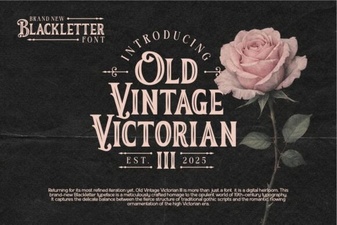 Victorian Era Fonts for Elegant Design Projects