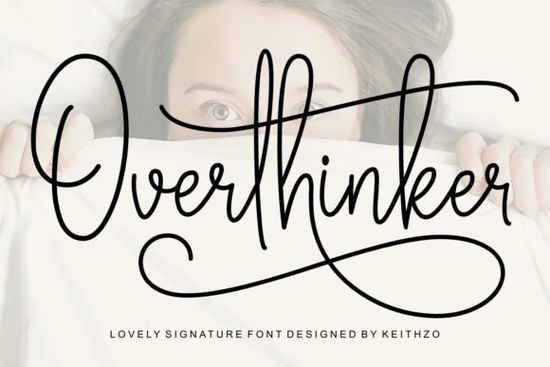
Finding the right handwriting typeface for a wedding invitation or a small business logo can take hours of scrolling. You want something that looks authentic but remains easy to read. The Overthinker Font is a signature-style typeface designed to solve this exact problem. It features delicate curves and flowing lines that mimic natural penmanship without looking messy. Whether you are a print-on-demand seller creating custom mugs or a crafter making personalized gifts, this typeface gives your projects a refined, high-end look.
What projects work best with signature typefaces?
Signature styles are incredibly versatile, but they shine brightest when you need a personal touch. Wedding stationery is the most obvious choice. Using a flowing script for the couple's names on invitations or welcome signs creates an immediate sense of elegance.
For small businesses and crafters, these fonts work beautifully on product packaging, thank-you cards, and social media graphics. If you sell handmade jewelry or custom apparel, adding a handwritten-style logo makes your brand feel more approachable and authentic. Print-on-demand sellers also use them for tote bags and t-shirts, where a casual, stylish text layout often outperforms stiff, standard typography. If you want to see more decorative lettering choices for your apparel lines, you can always browse other flowing styles that fit a boho aesthetic.
How do I access extra swashes and glyphs?
One of the biggest frustrations for crafters is buying a beautiful font only to find out they cannot access the fancy swashes in their cutting software. Fortunately, this typeface is PUA encoded. This means every single glyph, alternate character, and swash is fully accessible even if you do not have professional design software like Adobe Illustrator.
If you use Cricut Design Space or Silhouette Studio, you can simply open your computer’s character map on Windows or the font book on Mac, copy the specific swash you want, and paste it directly into your canvas. This feature alone saves a massive amount of time when you are trying to perfect the tail of a letter for a custom wood sign. For a deeper look at the character map and alternates, you can review the full glyph details before downloading.
Which alternative handwriting fonts should I consider?
While this typeface is excellent for elegant, sophisticated projects, every designer needs a few reliable backups in their toolkit depending on the specific mood of the brief.
- If your project requires a slightly more relaxed, everyday handwriting vibe, you might want to Monday Font instead. It feels a bit more casual and works great for lifestyle blogs.
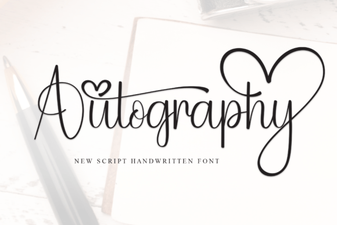
- For a sharper, more modern signature look, Autography Font is a great pick. It has a slightly edgier feel that suits streetwear brands or modern cafes. You can also explore similar signature typefaces if you want to compare different weights.
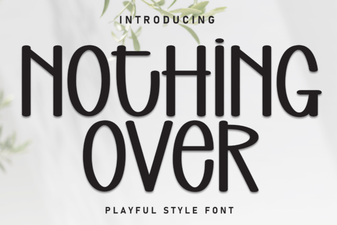
- When working on minimalist branding or clean editorial layouts, it helps to check out cleaner script options that do not overwhelm the page. Nothing Over Font is a fantastic choice for this.
- If you need something highly decorative with lots of flourishes, Wonderful Butterfly Font offers beautiful, intricate details for special occasions.
How do I pair a script font with other typography?
A common mistake beginners make is using a flowing script for every single line of text. To keep your designs readable and professional, you need to pair your signature font with a clean, simple typeface.
Use the script for the main focal point like a brand name, a headline, or a couple's names. Then, use a basic sans-serif or a classic serif for the supporting details, like dates, locations, or subheadings. The contrast between the intricate curves of your script and the straight, uniform lines of a sans-serif creates a balanced, visually pleasing layout. If you need a different handwriting alternative that pairs well with bold serifs, testing out a few different weights on your canvas is always the best approach.
Quick checklist before you start your next design
Before you finalize your layout and send it to print or cut, run through this quick list to ensure your typography looks its best:
- Check your kerning: Script fonts often need manual spacing adjustments where two letters connect. Make sure the connections look natural.
- Test the swashes: Do not overdo the extra flourishes. Use them only at the beginning or end of a word to frame the text.
- Verify readability: Step back from your screen or print a test page. If you have to squint to read the words, scale the font up or choose a simpler alternate character.
- Confirm software compatibility: Ensure your cutting machine software recognizes the PUA-encoded characters before starting a large batch project.
Ready to start your next project? You can Overthinker Font today and add a touch of refined penmanship to your creative library.
Learn More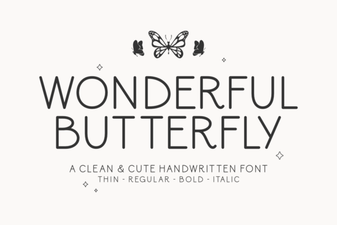 Wonderful Butterfly Font: Creative Design & Inspiration
 Font Font Projects: Creative Design & Usability Ideas
 Crafting Personality with the Autography Font
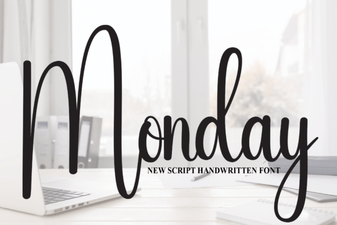 Monday Font: Download & Creative Project Ideas
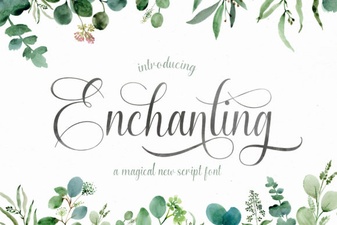 Choose the Perfect Enchanting Script Font
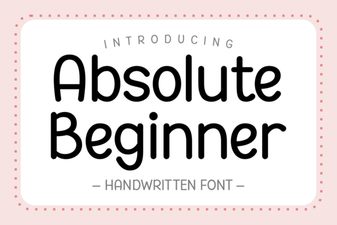 Best Fonts for Absolute Beginners in Design